Crew scheduling on one clear show timeline
Fill every role with call times in view—so load-in, show call, and strike stay staffed.
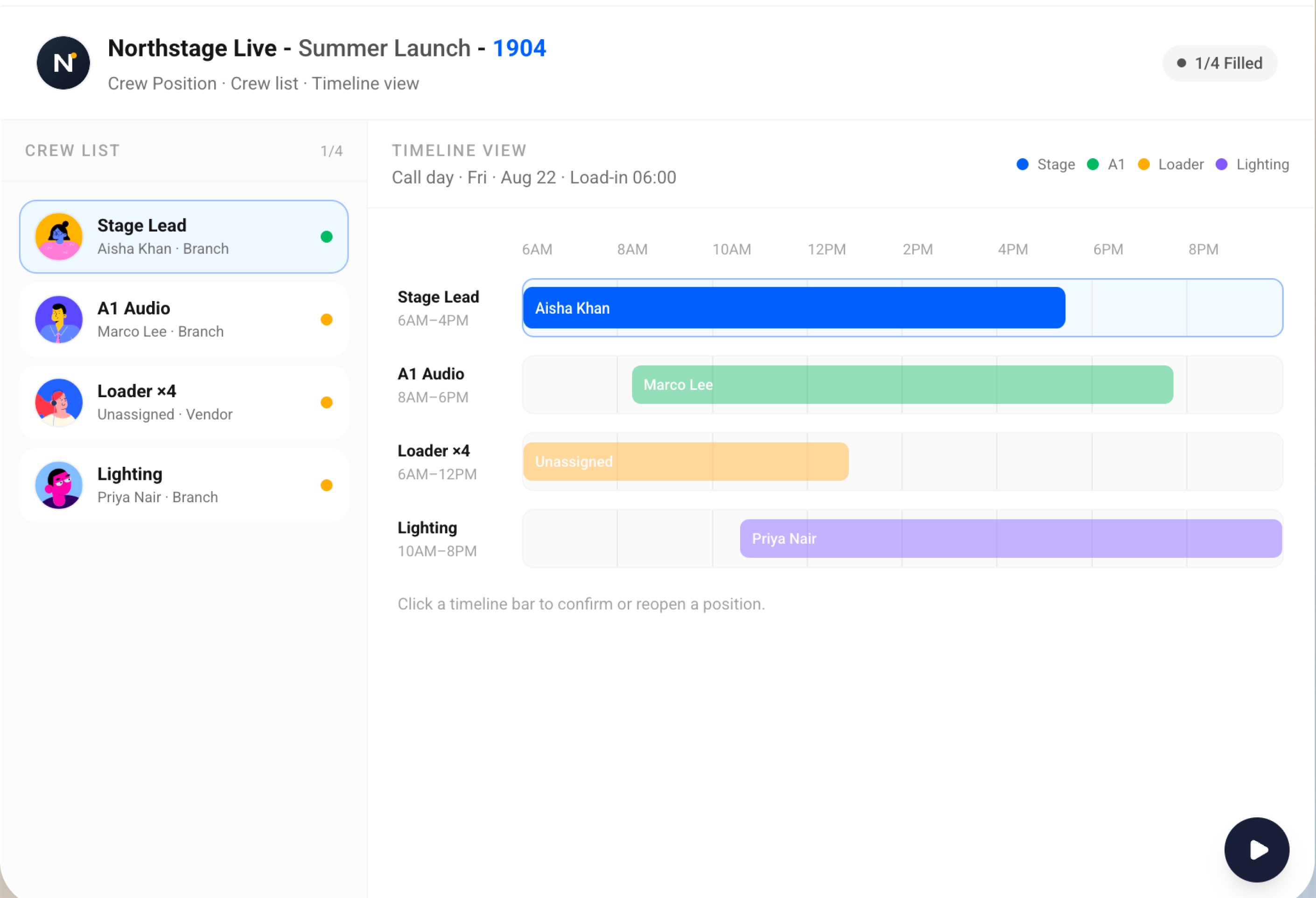
Staff the show without spreadsheet chaos
Crew roles
Assign positions the way your production runs—not a generic task list.
Call timeline
See who is due when across load-in, show, and strike.
Show calls
Keep call times visible to ops and crew leads on the same job.
Assignments
Know who is covering each role before the truck rolls.
Job context
Crew plans sit on the event job next to gear and the quote.
Fewer no-shows
Clear schedules cut last-minute scramble when a role is empty.
Keep every call covered
Roles on one timeline
Schedule Stage Lead, A1, loaders, and lighting on one crew timeline from load-in through strike. Call times and gaps stay visible so you are not juggling sheets and side chats.
Roles on one timeline
Aligned with the job
Crew assignments live on the same event record as inventory and the quote. Warehouse and sales see who is booked without asking for a separate roster update.
Aligned with the job
Ready for show day
Confirm roles and call times before people leave for site. Everyone works from the same crew plan—no surprise shortages when the truck arrives.
Ready for show day
Show day · 4/4 filled
- Load-in 6:00 AM
- Show call 4:00 PM
- Strike 11:00 PM
“BatterOps is our ops cheat-code—accurate quotes from live inventory, without the spreadsheet scramble.”

Keep exploring BatterOps
Quotations
Pull gear and services from your catalog, adjust rates inline, and send versioned proposals that match what you can fulfill.
Inventory
Compare required vs available stock across branches, fill gaps with vendor or float, and lock gear before load-out.
AI tools
Draft production reports and client decks faster, and run on-site checklists your crew can follow.
BATTEROPS